|
Most of the time this behavior is due to an incorrect setting in Outlook Express. Check your settings by opening Outlook Express and follow this step by step.
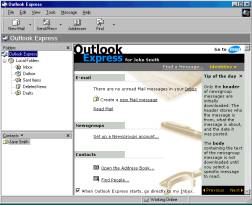
Step 1. Open Outlook Express. Double click the Outlook Express icon on your
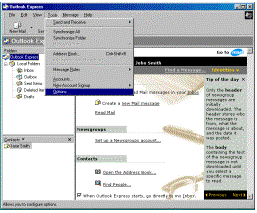
desktop or your start menu. Step 2. Go to the
options section. Click Tools then click Options
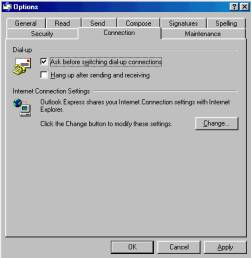
on the Outlook Express menu. Step 3. Check your settings. When this dialog box opens you will be on the “General tab”. Select the “Connection tab” and make sure the Hang up after sending and receiving box is un-checked. Click the OK button to save your
settings. You must close Outlook Express and re-open the program
before any changes you have made take effect. |
|